



Changing a Drawing After a Purchase Order: A Supplier ECO Checklist
When a drawing changes after a purchase order, send a change request tied to the affected order lines and obtain the supplier’s written implementation agreement. Engineering change orders for custom parts must address work already committed. Confirm production status, the quantity switching revisions, the treatment of existing parts, and any revised price or delivery date. Uploading a new file does not establish that the active order has changed.
The shop may already have cut material for Rev A, sent parts for finishing or packed a shipment. Each situation needs a decision. An engineering change order, or ECO, records how the approved design change will apply to the open order.
Find out what is happening before announcing a restart
Contact the order owner promptly. Identify the PO, line item, part number, ordered revision and proposed replacement. If continued work could create unusable parts, request a hold on the affected operations and shipment while the change is assessed.
Ask for acknowledgment of the hold, its actual scope and when it took effect. A sent email is not evidence that production stopped. The supplier may need to reach a subcontractor or establish a safe stopping point. Ask which operations remain active rather than assuming the entire order is frozen.
Request a dated status breakdown: material purchased, blanks prepared, parts in process, parts at outside processors, finished stock and quantities already shipped. Separate pieces from purchased stock; a bar reserved for the job is not a finished component.
This distinction is reflected in supplier workflows. Xometry’s part-revision guidance requires customers to contact support for changes to ordered parts and warns that updates may not be possible once planning or processing has begun. That is Xometry’s policy, but it illustrates why changing an uploaded model and changing an accepted order are different actions.
Separate the request, the approval and the effective revision
Use three explicit states in the correspondence:
| State | What it establishes | What remains unresolved |
|---|---|---|
| Change requested | The buyer has proposed a change against identified order lines. | Feasibility, affected quantities and commercial consequences. |
| Change approved for implementation | Authorized parties have accepted the defined change and its terms. | Completion of the agreed production and verification steps. |
| Change implemented | Records identify the parts made or reworked to the approved revision. | Acceptance and shipment release, where still pending. |
“Files received” confirms receipt, not approval for implementation or permission to restart. Likewise, design approval does not by itself settle scrap charges or a revised delivery schedule.
The exact approval route belongs in the project agreement. A buyer’s engineering contact may approve geometry while purchasing approves the PO amendment. Name both decisions when both are needed.
Send a change package, not another unexplained attachment
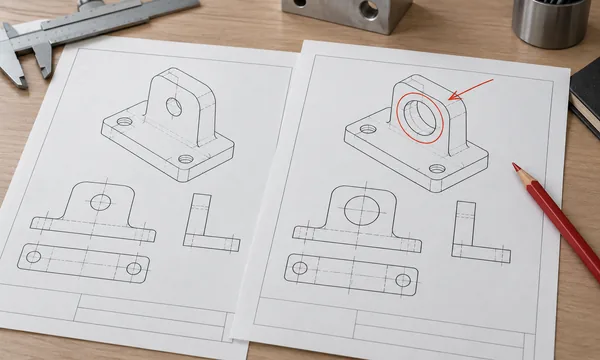
Keep the ordered release available as a historical record. Issue the replacement files with clear revision identifiers and a short comparison showing what changed. Mark redlines as comparison information unless they are specifically approved as manufacturing instructions.
A practical ECO cover sheet can include:
- Change identifier, request date and responsible contact.
- Affected PO numbers, line items and supplier job references.
- Part number, old revision and proposed new revision.
- Changed features or requirements, with the reason for the change.
- File list identifying the replacement CAD, drawing and other affected documents.
- Proposed effective quantity or lot, with unresolved decisions marked open.
- Required technical, purchasing and implementation approvals.
The Arena ECO overview describes change orders as connecting affected items and documents with review, approval and implementation. Use that principle without assuming an enterprise software system is necessary. A controlled record can be simple, provided everyone can identify the approved version.
For the original quotation package, use Zenbot’s manufacturing RFQ checklist. The post-order package has an additional job: explaining exactly what changes on work already committed.
Define the cutover in quantities someone can reconcile
Avoid “use the latest revision from now on.” It leaves unanswered whether the change covers finished stock, the remaining order or only future purchases.
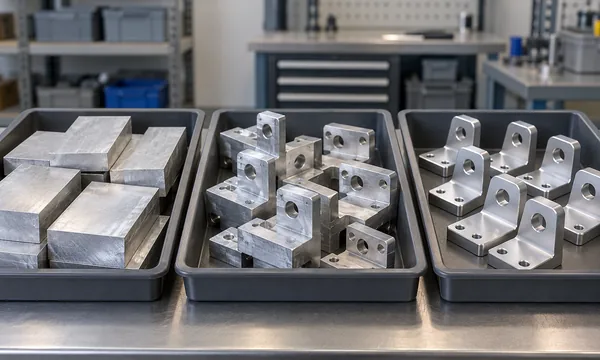
Consider this hypothetical order for 100 brackets. The supplier reports 20 finished Rev A parts, 30 partly machined pieces and 50 not yet started. Engineering determines that the 20 finished parts remain acceptable for a named pilot build, while the remainder must meet Rev B. The supplier still needs to assess whether the 30 partly machined pieces can be completed to Rev B.
The change record could then distinguish:
| Quantity | Agreed route | Required identification |
|---|---|---|
| 20 finished parts | Supply Rev A only for the approved pilot use. | Separate packaging and the applicable approval reference. |
| 30 partly machined pieces | Hold until the proposed completion or rework route is approved. | Job quantity and subsequent verification record. |
| 50 unstarted pieces | Manufacture to Rev B after release. | Rev B order-line or sublot reference. |
These quantities are illustrative, not a recommended disposition. If the changed feature makes Rev A unsuitable, that first row cannot be accepted merely to avoid scrap.
Also decide how replacement parts affect the ordered total. If some pieces are scrapped, does the supplier remake them within the original accepted quantity, or does a separate authorization cover them? Record the answer before closing the commercial amendment.
Ask for the consequences beyond the edited feature
Request a change-impact quotation against the status breakdown. Separate additional programming, fixtures, tooling modification, purchased material, rework, inspection and schedule effects where they apply. Identify which costs are confirmed and which depend on investigation.
Fictiv’s post-order guidance, updated May 1, 2025, explains that revised CAD or drawings can invalidate the original cost and lead-time assumptions and may require an updated quote through its ECO process. It does not guarantee accommodation. Treat this as an example of supplier practice, not the commercial terms of another company’s order.
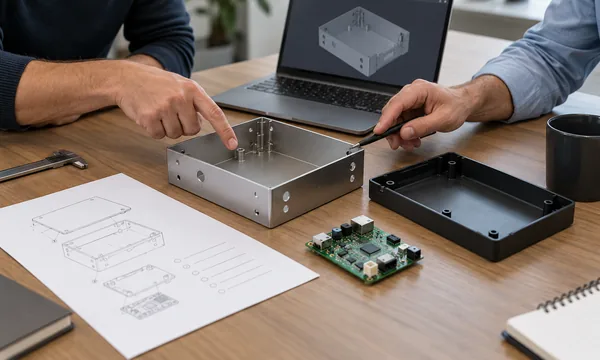
Ask what happens downstream. For a machined bracket, a moved hole may affect an inspection fixture. For a folded cover, it may affect the flat pattern and installed hardware. For a molded housing, the tool may need review. For a PCBA, the revision may affect components already purchased and the programmed or tested configuration.
Ask the supplier to identify the consequences for this part and order. Do not assume that every revision needs new tooling or a full inspection repeat.
Restart against one written agreement
Before releasing the hold, compare the accepted change against the revised PO or order acknowledgment. Check the effective revision, quantities, disposition decisions, price, delivery milestones and required evidence together.
Ask the supplier to confirm that relevant production and outside-processing instructions now reflect the agreement. Removing an obsolete file from a shared folder does not prove that a previously issued job packet has been replaced.
Name the person who can authorize restart and record that authorization. If one line can continue while another remains unresolved, release only the agreed scope. Do not let an approval for one part become an assumed approval for the complete assembly.
Close the change at delivery
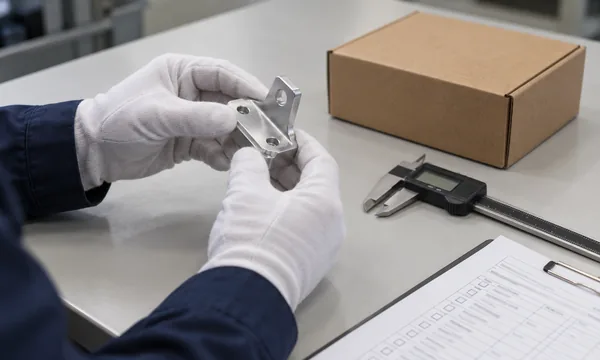
The first shipment after the cutover should make the revision split readable. Match package labels, packing quantities and inspection records to the approved disposition. If two revisions are permitted, keep them distinguishable through receiving and their intended use.
Agree which changed characteristics and affected interfaces require verification. This is not automatically a complete inspección del primer artículo; its scope depends on the change and the order requirements. Resolve failed or inconclusive results through the agreed review and disposition process before releasing the affected parts.
Finally, check the next order. A one-time approval to use Rev A inventory must not quietly become the baseline for repeat production.
Discuss an open-order change with Zenbot
For a project covered by Zenbot’s OEM/ODM services, send the existing order reference and a marked change summary before treating the replacement drawing as released. Ask who will coordinate the affected suppliers and which approvals are needed. The implementation scope, cost and timing need confirmation for that order.
Preguntas frecuentes
1. Can I change a drawing after placing a purchase order?
You can request a change. Implementation depends on production status, feasibility and the supplier’s agreement. Obtain confirmation of the revised scope and terms before assuming the order changed.
2. Does uploading revised CAD update an active order?
Not necessarily. Ask the order owner to confirm the affected order lines and accepted revision. File receipt and order amendment are separate checks.
3. What should an ECO identify?
Identify the affected order, part, old and new revisions, changed requirements, replacement files, effective quantities, existing-stock decisions and required approvals.
4. How do I know production is on hold?
Obtain acknowledgment identifying the operations and quantities held, the effective time, and any work or shipments that could not be stopped.
5. Can the new revision apply only to the next order?
Yes, if that is the agreed decision. State which open orders remain unchanged and which future order or lot introduces the replacement revision.
6. Must old-revision stock be scrapped?
Not automatically. Engineering must decide whether identified stock can be used, reworked or must be rejected. Record the authorized use and quantity; do not infer acceptance from similar appearance.
7. Will a revision change the price or delivery date?
It can. Request an impact review that reflects work already completed, purchased material and remaining operations. Approve the resulting commercial changes through the agreed purchasing route.
8. What should I send Zenbot for a post-order change review?
Send the order reference, current and proposed files, change summary, requested cutover and required decision date. For an OEM or ODM project, identify affected components and assembly interfaces. Ask for the project-specific scope, cost, timing and approval requirements to be confirmed.

Acerca del equipo de Zenbot
El equipo de Zenbot elabora recursos sobre fabricación y compras para Zenbot China. Nuestras guías abarcan mecanizado CNC, fabricación de chapa metálica, impresión 3D, moldeo por inyección, PCBA y preparación de solicitudes de presupuesto, y ayudan a los equipos de ingeniería y compras a comparar opciones y definir los requisitos del proyecto. La viabilidad técnica, las especificaciones, los precios y los plazos de entrega requieren confirmación para cada proyecto.